

 Dr. Lotfi K. Gaafar, Mechanical Engineering Department
 Originally published on: April 5, 2005
In the previous issue of the newsletter, I presented a model for computer-supported learning in undergraduate education that is based on a philosophy that the learning process is more effective when class discussions are enriched with various sources of knowledge, and when everything discussed in a class session is available for review outside the classroom. The computer, the Internet, and a strong course website play a key role in supporting this philosophy, which was labeled computer-aided lecturing and review (CALR). This issue focuses on the contents of the course homepage that support the CALR philosophy. Some homepage items are common to all courses, while others are added based on the nature of the course. The standard items on every course homepage include.
- Syllabus, containing the course outline, tentative topical schedule, textbook, reference books, important dates, and grading policy.
- Course/Class rules, with a highlight of important policies relating to attendance, academic integrity, and the scale for final grades.
- Course notes, including presentations delivered by the instructor during class meetings and external reading materials.
- Assignments, including due dates, extra resources, and in some cases Turnitin instructions.
- Message board, where important messages are posted.
- Old exams and quizzes with solutions available in most cases.
- Useful links. This item links to external materials that support and broaden the coverage of courses. In a course on manufacturing processes, it links to a site titled “How Everyday Things Are Made” (created by Design4X, Inc, http://manufacturing.stanford.edu). In a course on engineering economy, it links to a website at Georgia Institute of Technology that contains a course on engineering economy with a complete set of video lectures (http://www.isye.gatech.edu/engecon/lectures/lectIndex.html).
- Grades, with frequent updates for quick feedback and in line with a policy that allows students only one week to discuss any graded material.
- In addition to the items above, and considering the nature of a course and availability of resources, extra features may include one or more of the following items:
- Solved exercises and practice problems. In some cases, when attempting to solve a practice problem, students have the option of viewing a similar example or viewing the detailed solution. This provides gradual help to those who have difficulties. When used in the right way, this help can significantly improve comprehension of the subject.
- Case studies. This item complements class discussions of case studies and provides detailed solutions to problems and issues raised during these discussions.
- Lecture notes (as taken and electronically prepared by students). This item allows students to see the class from the perspective of another student, and to gain access to events of a class they missed. Instructors may choose to edit these files for accuracy and consistency. In many cases, I choose to post these files as provided by the students with no modifications, preceded by the following disclaimer: “The following links connect to lecture note files as submitted by the listed students. These files are posted ‘as is.’ They are not reviewed or edited. I assume no responsibility for the accuracy of their contents. Use them at your own discretion (or risk!).” Students find this option very useful, especially in summer courses, and consider it an important communication tool.
- Laboratory plans. This item is useful for courses with labs. The complete laboratory plan prepares students for their upcoming lab experimentations. The plan is updated as actual labs are conducted, and extra links may be added to allow students to address particular lab requirements.
- Project information. This item is used to guide the students through group projects where requirements are added gradually as topics are covered in the course.
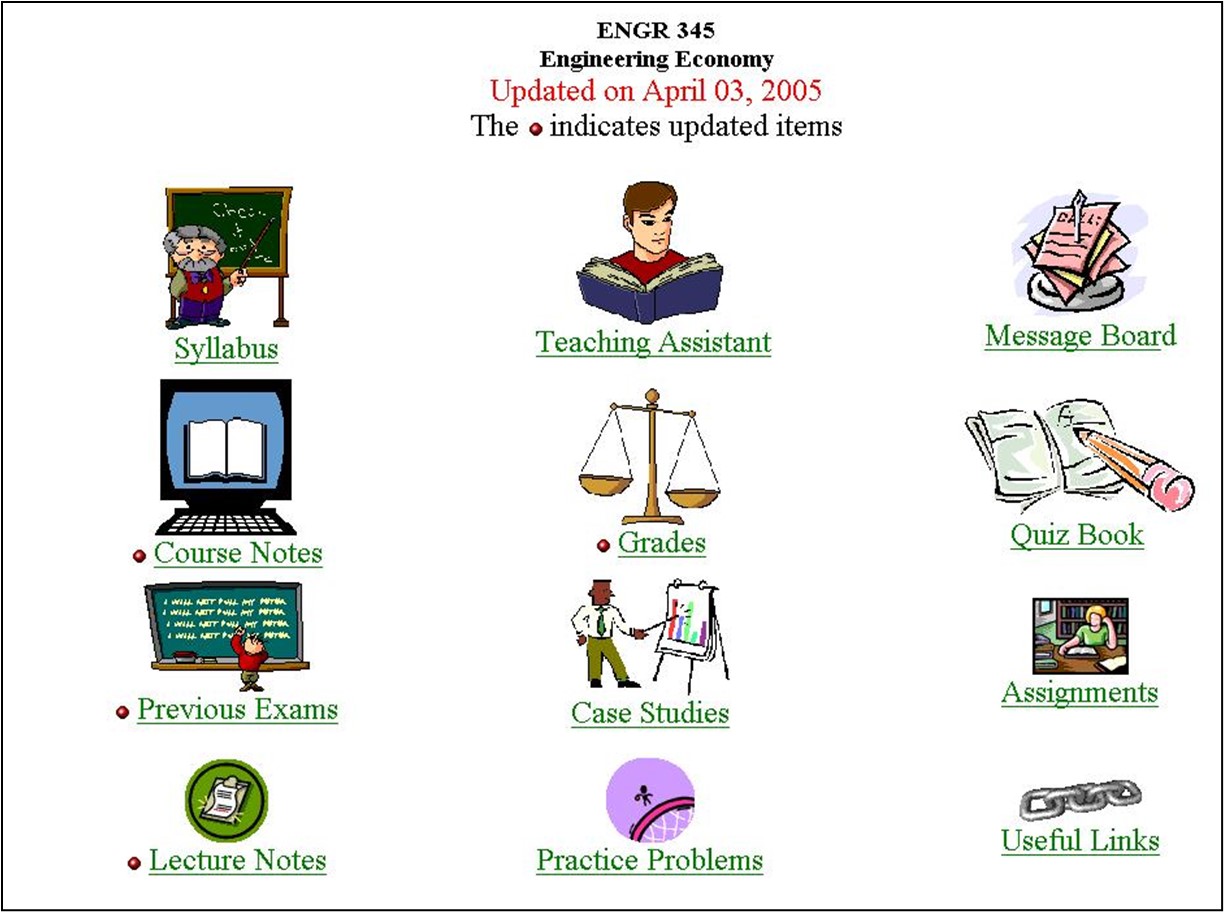
The figure below shows a sample course homepage displaying some of the items mentioned above.
Student input has played a key role in evolving the items mentioned above over the past eight years. I usually survey students towards the middle of each semester and use their input on the course website for continuous improvement.
To support the CALR concept discussed in the previous issue of the newsletter, the course website is always available during classes either through an Internet connection or through a local copy on the classroom computer (usually through flash memory). In the following issue of the newsletter, we will discuss platforms for course website implementation.
