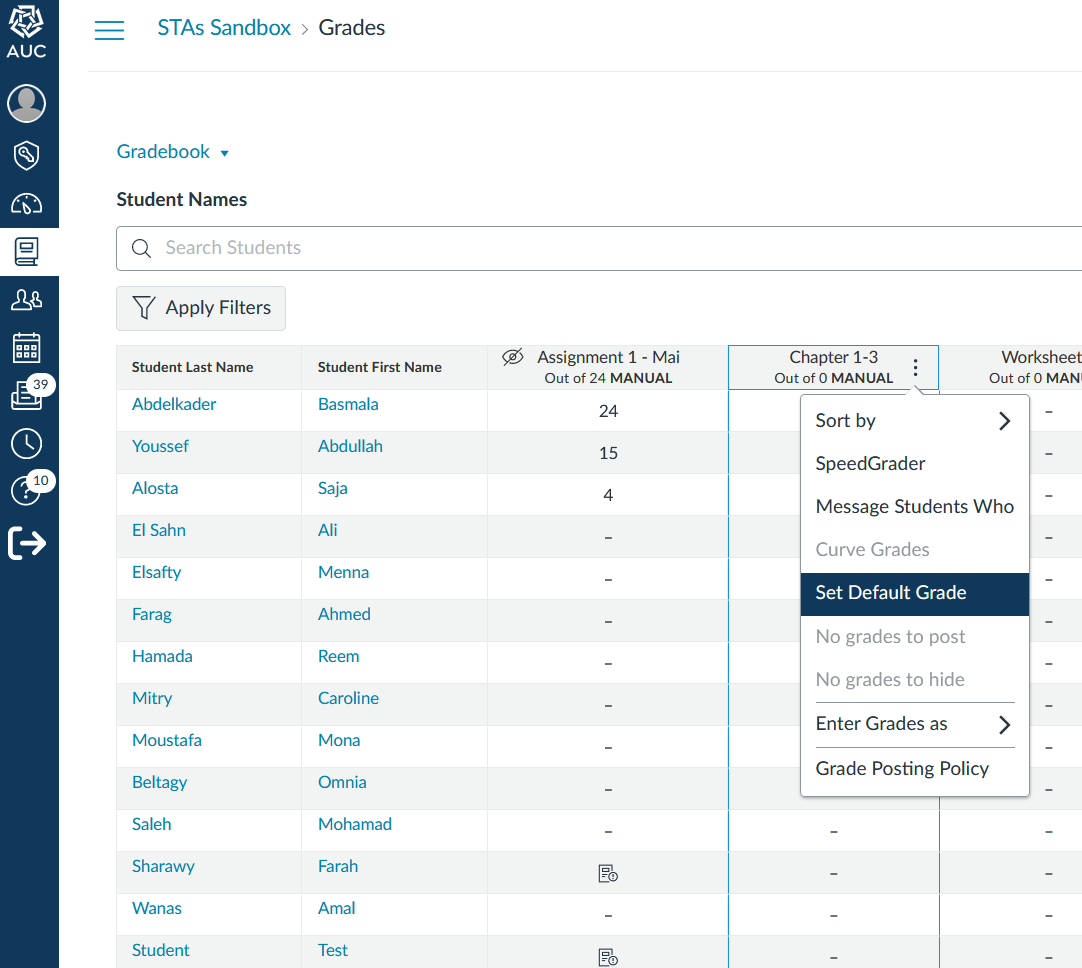
To ensure the accuracy of the final grade column, you must enter a value in every grade cell.
- This includes entering a zero (0) for any assignments that were unsubmitted.
- Leaving grade cells ungraded (indicated by a dash) will result in an inaccurate final grade for students.
- When assignments are left ungraded, the final grade displayed to students fails to account for the unsubmitted work, giving them a misleadingly high or incorrect view of their academic standing.
How to set default Value as Zero:
- Click on “Grades” to open the Gradebook
- Hover over each assignment column
- Click on the three dots
- Click “Set Default Grade” and set it to 0
Important note: Do not check the “Overwrite already-entered grades” option